Adding new devices in AVG Business Management Console
IMPORTANT Note: Before doing the installation. Remember to uninstall any old antivirus first. Then restart the computer.
Go to the AVG Business Admin Console ( https://console.avg.com )
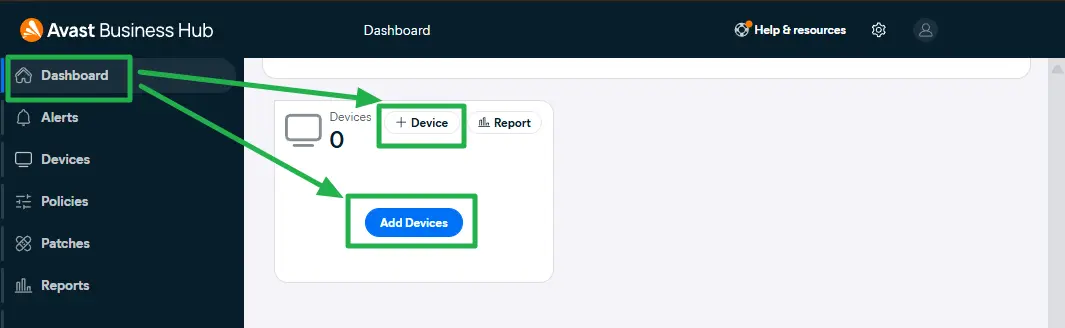
Log in with your admin email address.Click on Add new device
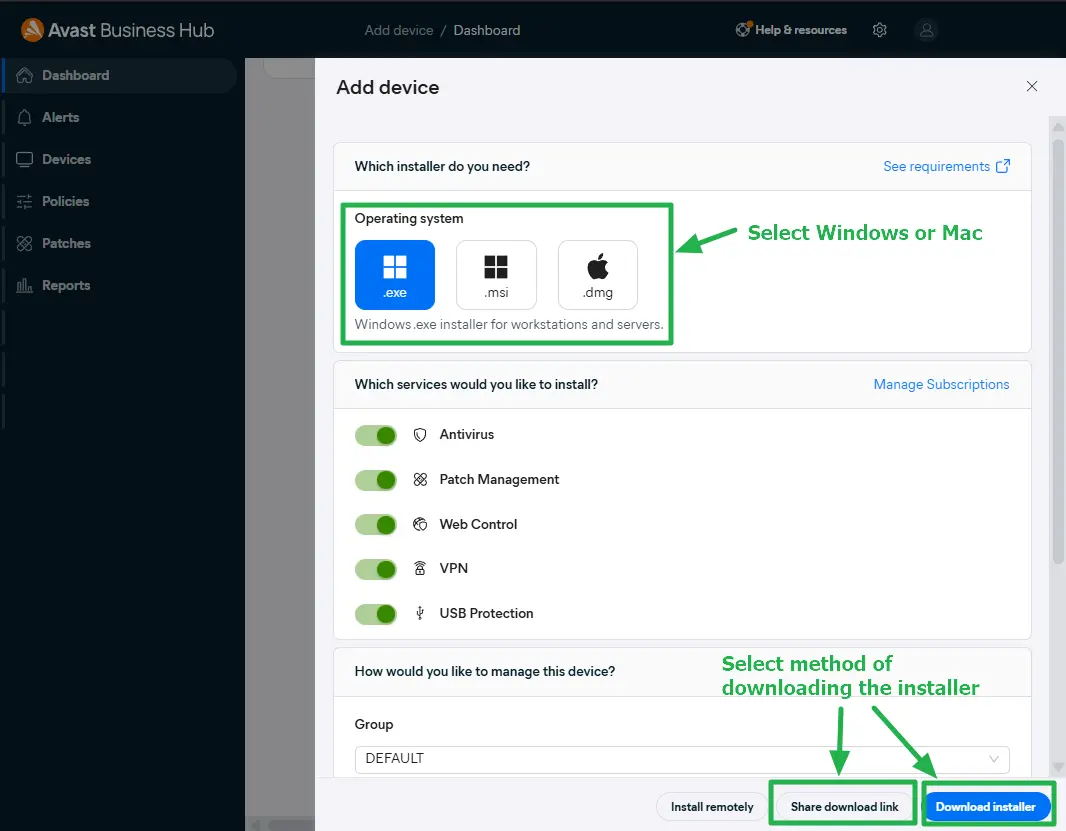
Select Windows or Mac, then select method of downloading installer